On this page
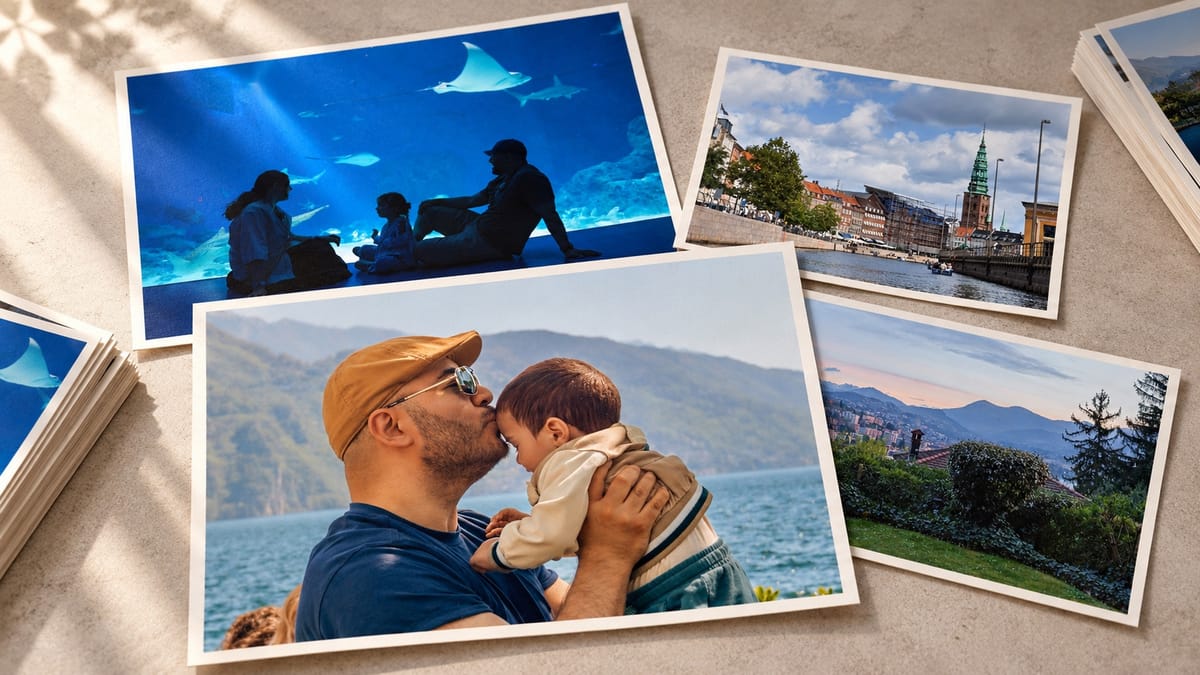
My family archive had grown to 60,000+ photos in 20 years and spread across Apple Photos, Google Photos and Lightroom. We had plenty of places to store them, but no clear system for looking after. This is the first post in a series about how I changed that.
Photos get more valuable every year
As I got older, especially after starting a family, I began to think of our photos as an asset, an investment that grows in value every year. If the toddler photos of your child, now a teenager, disappear, that's it... There is nowhere else to find them. You can't go back and photograph your children's childhood again, don't you?
How others organize their photos
I researched a lot. Most photo workflows I read about fall into two camps. Professional photographers mostly live in Lightroom Classic, with their own folder structure built around events: a wedding, a shoot, a trip. Everyone else keeps everything in iCloud Photos or Google Photos.
Keeping everything in the cloud made it easy to overlook what was missing. I didn't have a complete local copy that I controlled, or a recovery process I trusted. If I lost access to an account, I wanted to know that our photos were still safe and within reach.
What coming home from an event looked like
We have two iPhones and my DSLR on top of that. Add the occasional drone or action camera, and that can easily mean five cameras. Every time we came back from an event, it was just a lot to deal with:
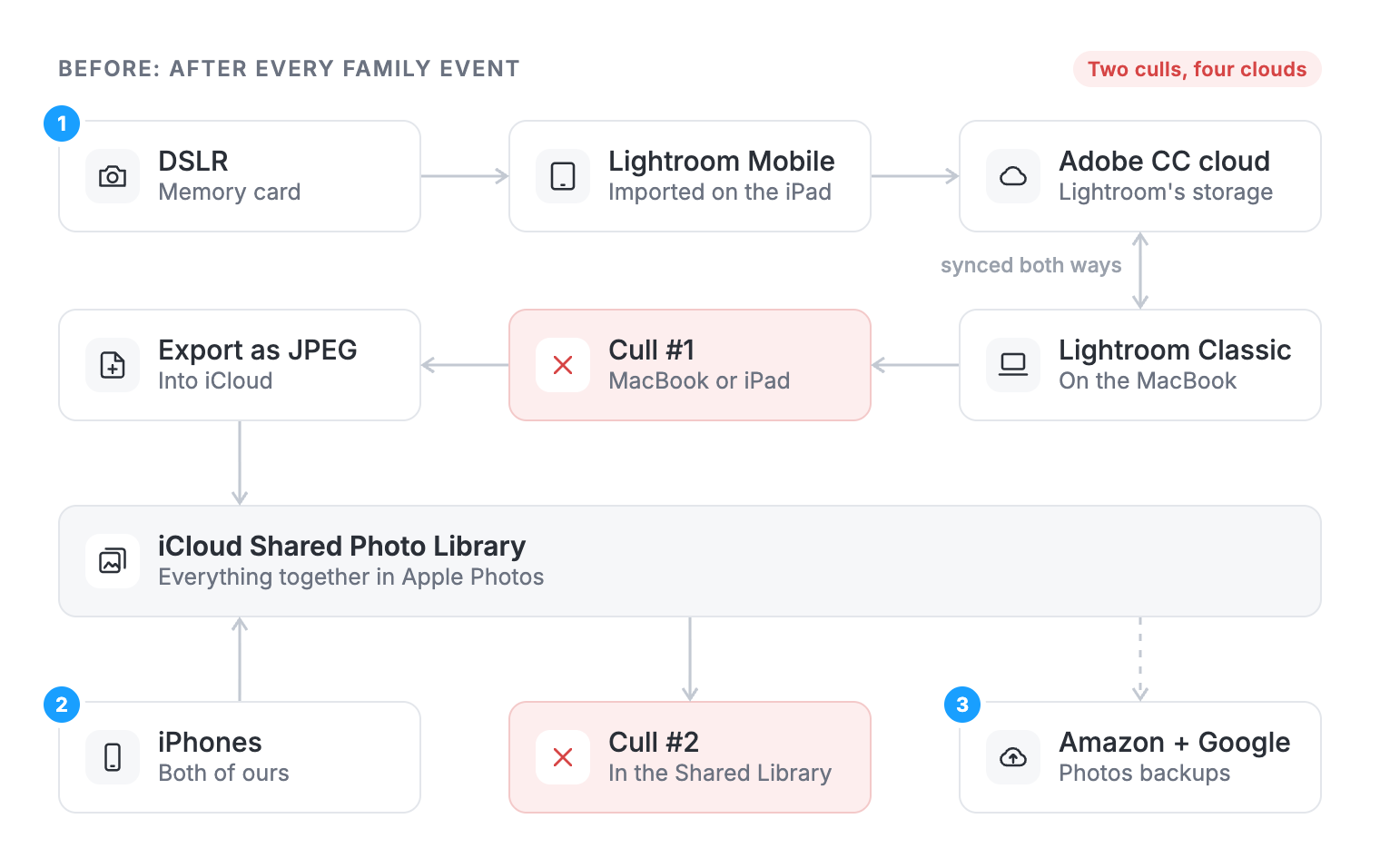
- I would import everything from my DSLR into Lightroom Mobile on the iPad. Lightroom would upload it to its own cloud, Adobe CC. Then Lightroom Classic would download the DSLR photos from the cloud to my MacBook. I would cull the camera photos (keeping the good ones and deleting the rest) on the MacBook or the iPad, whichever was at hand. The changes would sync back to Adobe CC. Then I would export these photos as JPEGs to iCloud to have everything together in Apple Photos.
- Then I would cull the photos and videos from both iPhones in iCloud's Shared Photo Library.
- In parallel, Amazon Prime Photos and Google Photos would back up all of our Apple photos to their own storage.
It was such a mess... The workflow annoyed me more every time. I had two, sometimes three places to cull. Deleting a photo from iCloud wouldn't delete it from Google Photos. There were duplicates all over the place, no complete local copy and no backup process I trusted. The risks and problems kept stacking up. It was unsustainable. I badly needed a system.
The pieces already existed
While looking around, I found some great open-source tools. icloudpd downloads the original files from iCloud Photos, continuously, onto a computer you own. osxphotos can read an Apple Photos library from the command line and gives you superpowers over it.
The question I kept coming back to was how to combine tools like these into one super tool that owns everything about our media library: backups, organization, reorganization, sync, serving and culling. I wanted a solid system I could bring new photos into with confidence, with regular clean-up cycles instead of one-off rescue missions.
I hadn’t found a tool that brought it all together. Step one was simpler.
Step one: one rigid local folder structure
The first decision was where everything lives. I chose a rigid, nested structure by date: the year at the top, then the month inside it, then the day inside that.
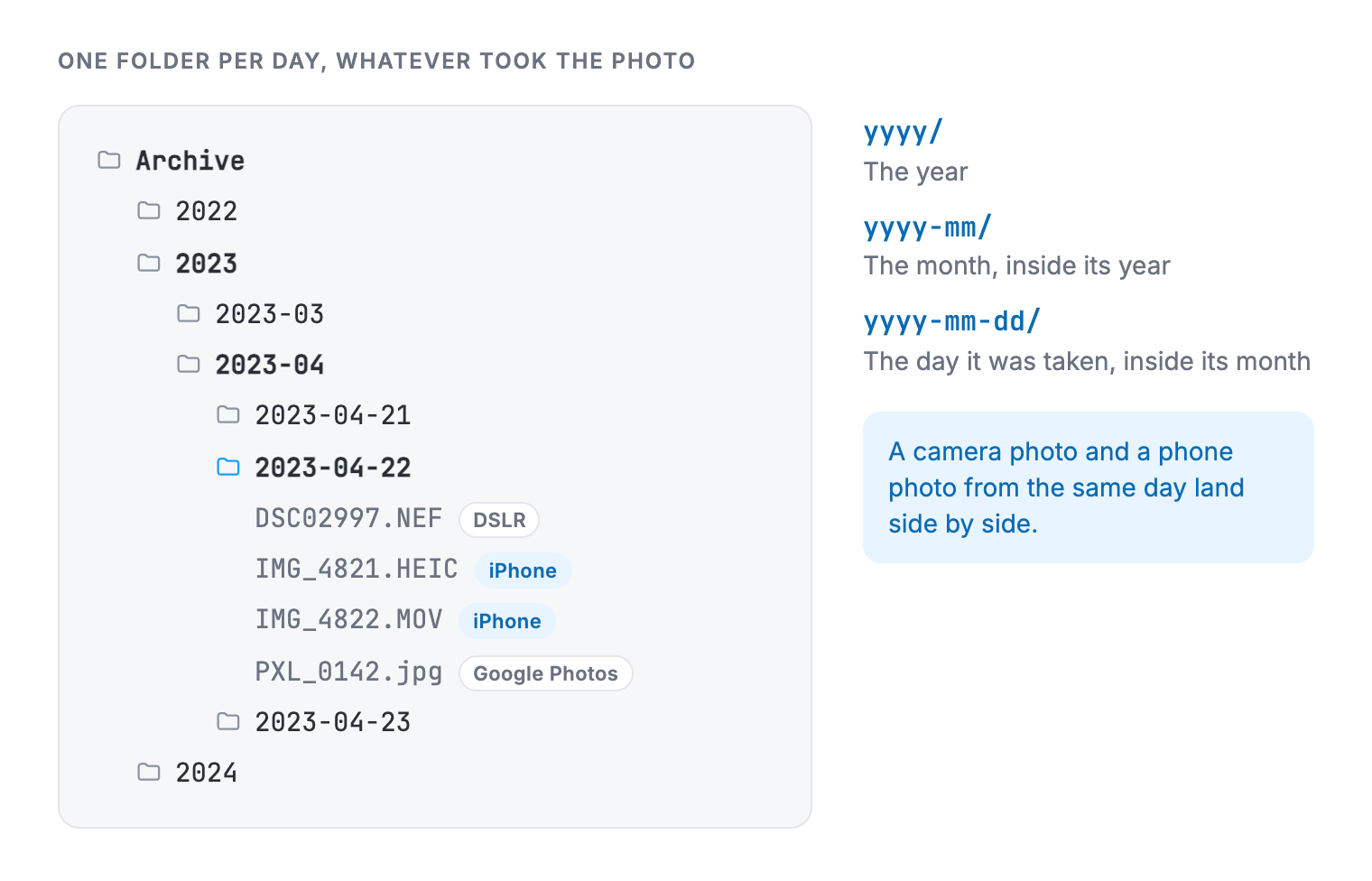
Every photo and video ends up in the folder for the day it was taken, however it arrives. Camera photos come in through Lightroom Classic, which imports straight into this structure. Phone photos keep going to iCloud as they always did, and icloudpd downloads them. After a short waiting period, a nightly job moves them, or graduates them, into the same day folders.
Every camera, every phone → one archive → one folder per day
Moving everything in
Then I did the same for everything we already had, which was spread across Google Photos, Apple Photos and a big Lightroom library. For us, Apple Photos is the same library as iCloud Photos, so downloading iCloud covered it.
The Lightroom library was the easy part. It already used the year, month and day structure, so it became the home for everything else. I downloaded our Google Photos with Google Takeout, Google's tool for exporting account data, and used icloudpd to download both my wife's and my entire iCloud Photos libraries to the homelab. A script then brought all of the Google and Apple photos into the Lightroom library's structure.
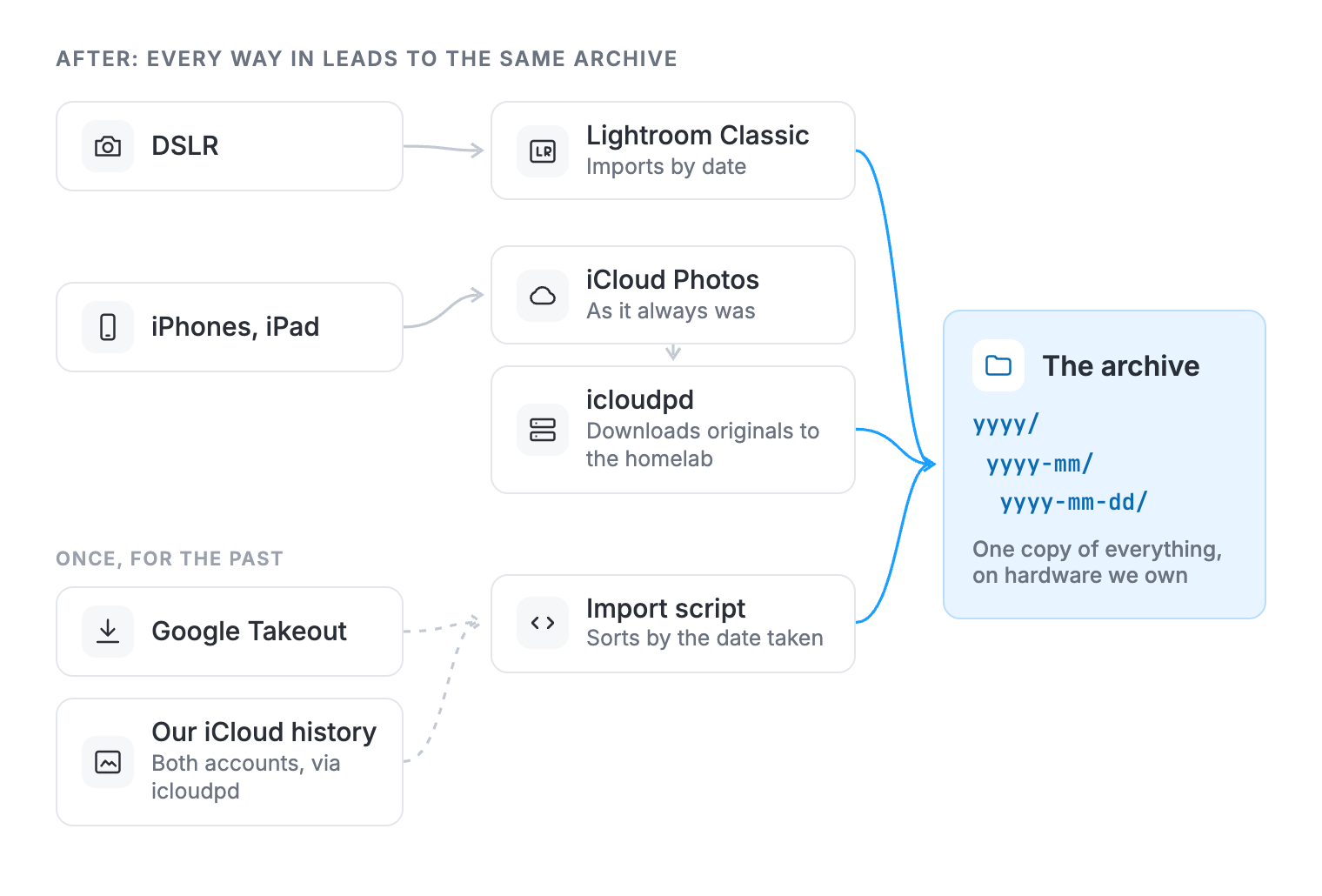
As soon as everything was in, I got rid of Google Photos. We're an Apple family, so there was no reason to keep a second cloud. iCloud stays because our phones live in it, but it is no longer the only copy.
One archive, and a lot of mess
Having everything in one place made the next problem obvious. I had planned to use Lightroom Classic as the one tool to manage it all. But I almost immediately realized that, that wouldn't work. Lightroom might be a good tool for RAW photos, but for my 4K video files? - it was a disaster. It would hang and struggle with the basic playback we're so used to on Apple devices.
Also, cleaning up years of photos in one go felt endless, so I needed to break it into bite-sized chunks, one day at a time. I wanted a tool so snappy that I'd enjoy using it. Something that would motivate me to keep going. The simplest way I could think of was a view that shows today's date across every year in the archive: 29 September 2019, 29 September 2020, 29 September 2021, and so on. Clean up one date a day, and within about a year the whole archive is clean.
That idea became Daddy, Cull!, and the next post picks up from there.
Newsletter
Get new posts by email
One email when something new goes up. Unsubscribe any time.
Discussion