On this page
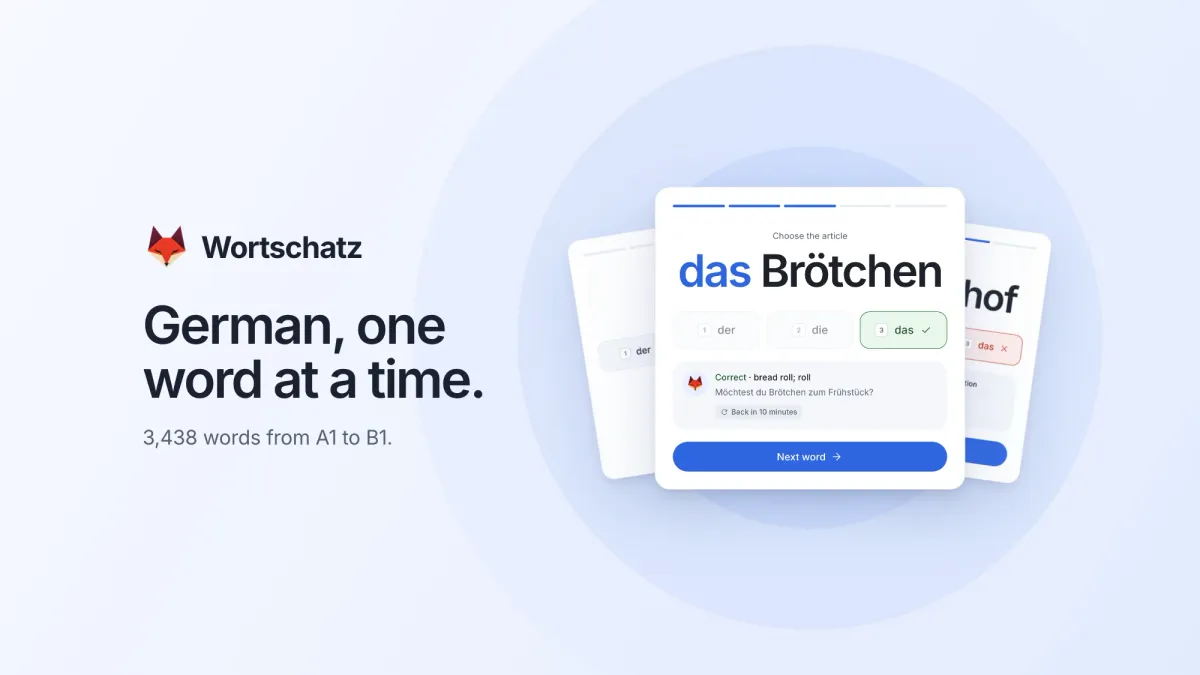
Learning German means learning a lot of words, and a German noun is never just a word. It arrives with an article, and the article has to be learned with it. Der Bahnhof, die Reise, das Brötchen. There is no rule reliable enough to skip the memorising.
I had been practising with a small private trainer I made for myself. It showed me a word, asked one question, and brought the word back later. I wanted a version that other people could use too.
So I built Wortschatz.
It is a free German vocabulary trainer that runs in the browser: 3,438 words from A1 to B1, one card at a time, in short daily practice. “Wortschatz” is simply the German word for vocabulary.
One question per card
Each card asks one thing. For a noun, choose the article: der, die or das. For every other word, choose the meaning from four options.
That is all the input there is. Tap an answer, or press 1 to 4 on a keyboard and Enter for the next word.
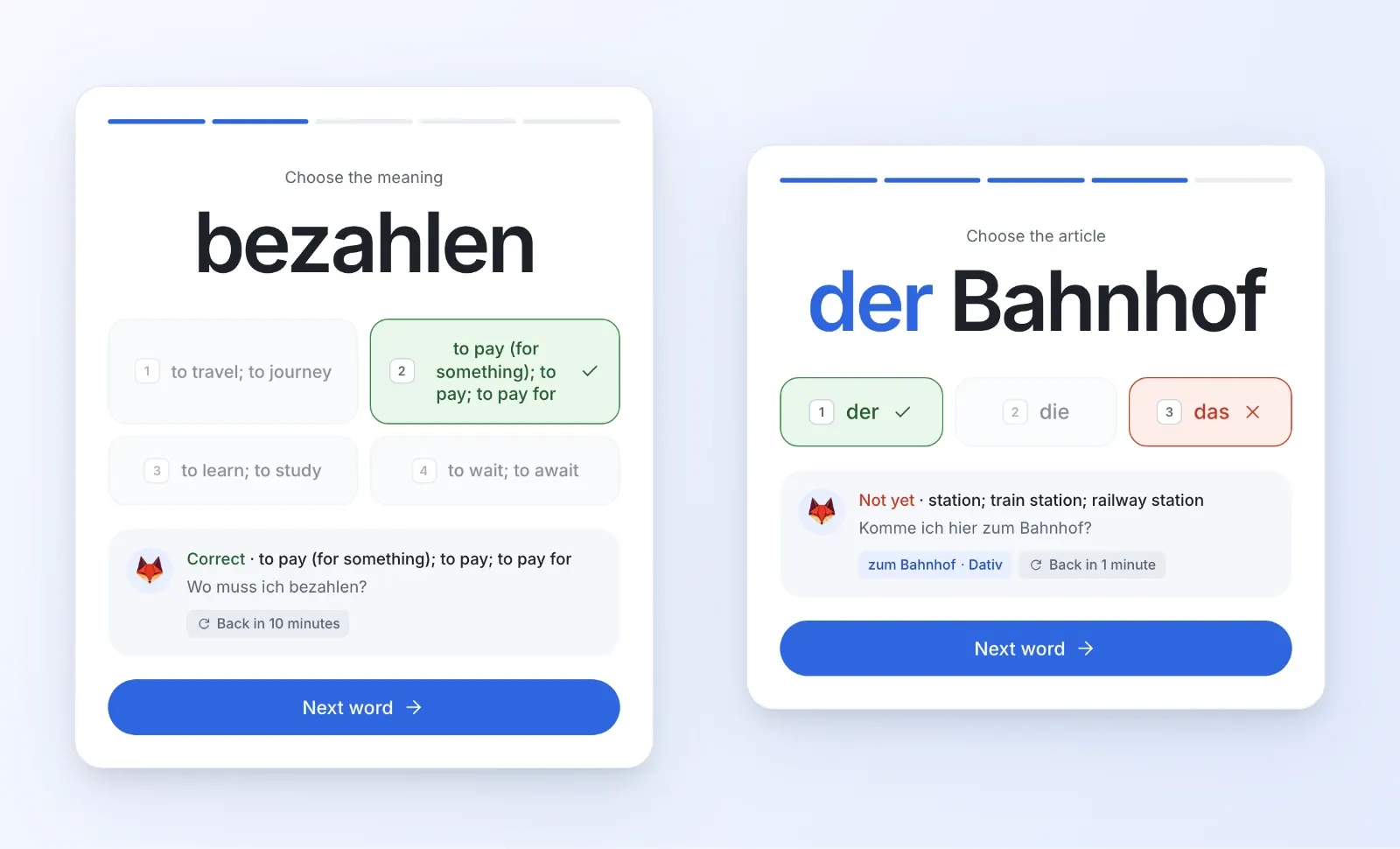
After each answer the card shows the meaning, an example sentence, and when the word will return. Every one of the 3,438 entries has example sentences, so a word always appears in use and not only as a translation.
Where a word usually travels with a preposition, there is a short note for that as well, like zum Bahnhof with the dative.
The schedule decides what comes back
Getting a word right once tells me very little. What matters is whether I still know it next week, and next month.
Wortschatz uses FSRS, an open spaced repetition algorithm, to decide when each word returns. A right answer pushes the next review further away. A wrong answer or a skip brings the word back within minutes. How fast you answer doesn’t matter.
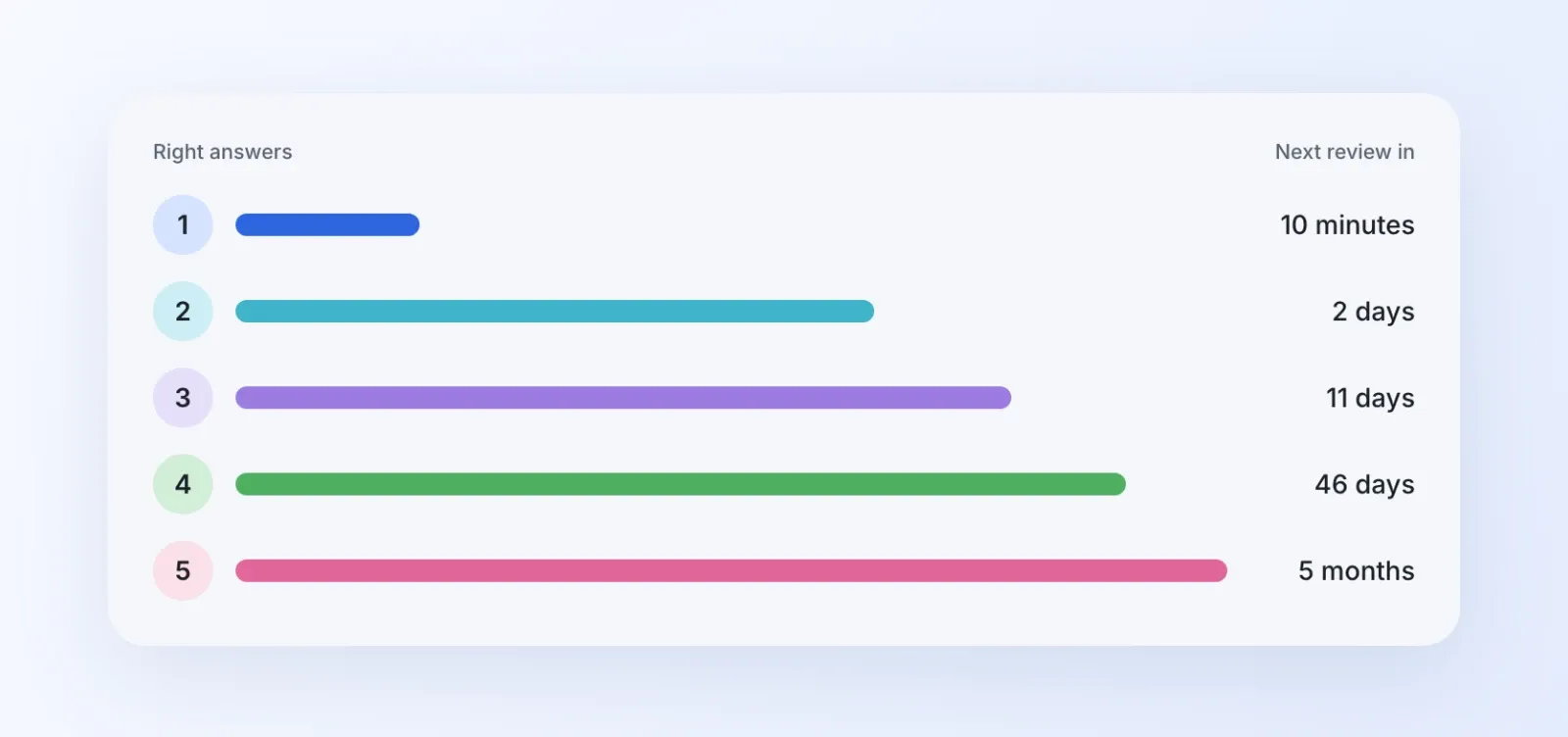
The schedule aims for about 90% recall at the moment a word comes back. That number is the algorithm’s estimate, not a promise. Some words settle after a few reviews and others keep returning for a while.
Due reviews come before new words. Practice starts with what is closest to slipping, and adds new words only when there is room for them.
A word counts as learned once it has left those first short steps and joined the regular review schedule. Forget it later, and it goes back to relearning.
Twenty minutes is enough for a day
The default daily goal is 20 minutes of active practice, and it can be set from 10 to 60. The clock runs only while the trainer is on screen and in use, and it pauses after a minute without interaction.
When the goal is reached, the day is done. There is a Keep practising button for the days when 20 minutes isn’t enough.
There are no sessions to set up either. Open the trainer and it continues where it stopped.
Pick the topics you need
The words are grouped into 18 topics, from People and Travel to Work, Health and Politics & law.
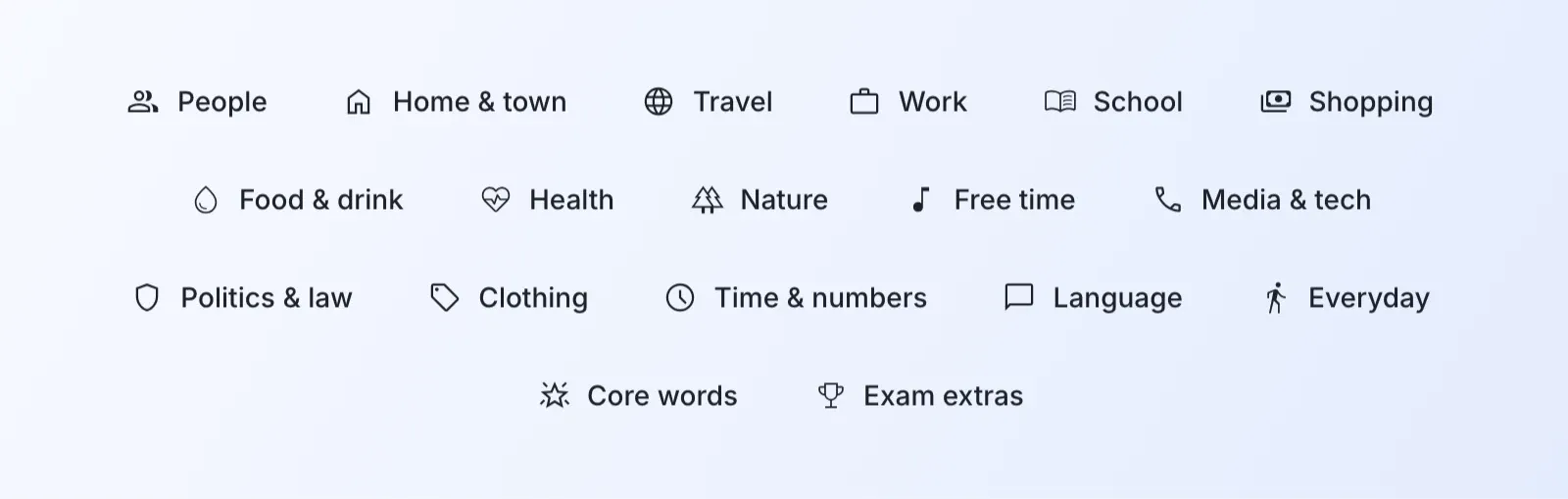
Selecting topics limits both the practice queue and the progress shown to those topics. If Work matters more this month than Clothing, practise Work. Words you have already started keep their history when the selection changes.
By level, the collection has 816 A1 words, 777 A2 and 1,845 B1.
A fox that changes with your progress
Progress in vocabulary is slow, so Wortschatz makes it visible with a companion: an origami fox.
It has three forms. Everyone starts with the first. Completing A1 unlocks the second, and completing A2 unlocks the third. Once a form is unlocked it stays unlocked, even if some words are forgotten later.
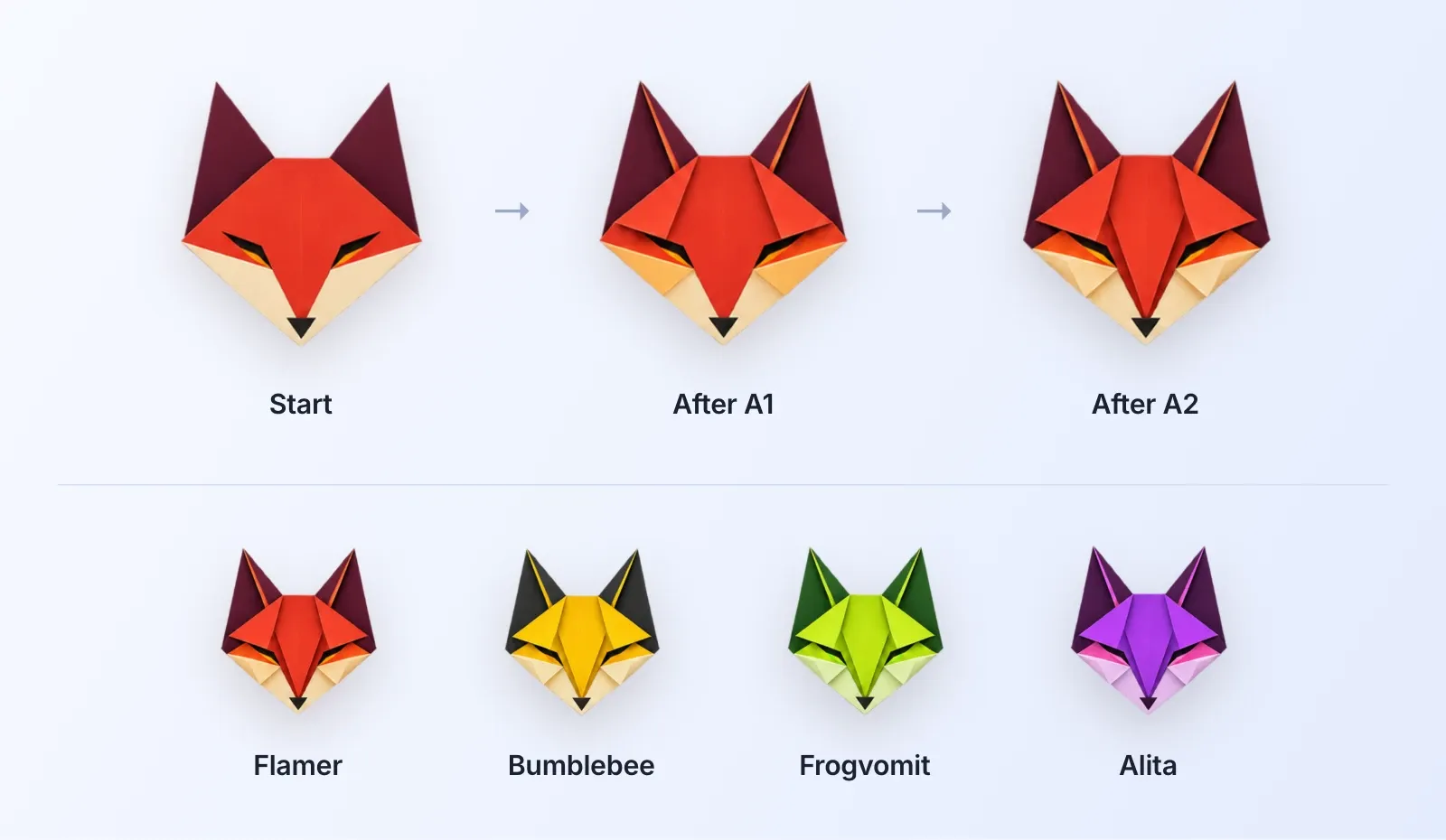
There are four palettes to choose from: Flamer, Bumblebee, Frogvomit and Alita. The fox teaches no German. It is there so that finishing a level looks like something.
What it doesn’t do
Wortschatz is a vocabulary trainer, and it stops there.
There is no audio or speaking practice, no grammar or conjugation drills, no video lessons, and no offline mode. The collection ends at B1.
The levels are vocabulary milestones. Completing the B1 words means you have learned the B1 words in this collection. It is not a certificate, and it doesn’t mean you are ready for an exam.
Free, with one thing to know
Wortschatz is free. There is no password: you enter your email address, and a sign-in link arrives. Progress is saved to your account, so the phone and the laptop show the same state.
It has phone and tablet layouts, switches to dark mode automatically, and can be added to the Home Screen like an app.
The one thing to know: Wortschatz uses the same accounts as this blog, so a new account includes a subscription to Overconfigured. You can unsubscribe at any time and keep your progress.
It also runs on the same self-hosted setup as this blog.
Vocabulary is not the whole language, but it is the part I can work on in twenty minutes a day.
You can try a few cards without signing in, and start learning, at Wortschatz.
Newsletter
Get new posts by email
One email when something new goes up. Unsubscribe any time.
Discussion